
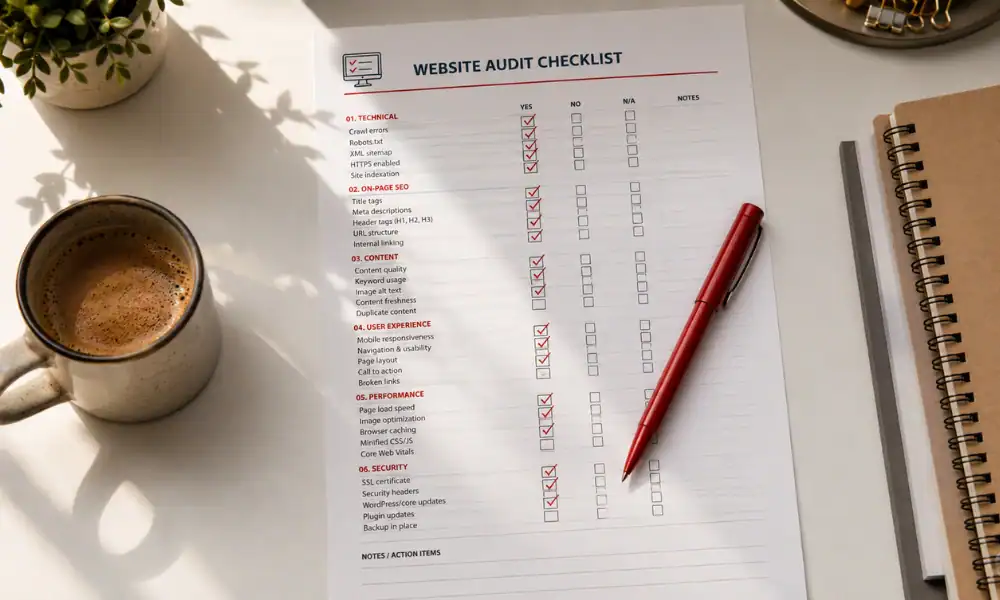
Most small business websites have the same problem. They look fine on the surface but fall apart the moment you check what is actually under the hood. Missing title tags, duplicate meta descriptions, images with no alt text, internal links pointing nowhere. If your pages are not showing up in search the way they should, this on-page SEO checklist covers exactly what to look for and fix.
On-page SEO covers everything on your website that you control directly: title tags, meta descriptions, headings, content structure, internal links, image alt text, and URL format. Getting these right on every page gives Google clear signals about what each page covers and who it is for, which is what determines whether it ranks.
What On-Page SEO Actually Controls
On-page SEO is the layer of SEO work that sits entirely within your hands. You do not need to wait for backlinks to come in or for Google to notice your domain age ticking up. You can fix on-page elements today, and Google will pick up the changes the next time it crawls your site.
The reason on-page SEO matters so much is that it tells Google what each page is about, who it serves, and whether it is worth showing in search results for a given query. A page with no clear keyword focus, a vague title, and no internal links pointing to it is essentially invisible in search, regardless of how good the content on it is. Google needs clear signals, and on-page SEO is where those signals live.
The good news for small businesses is that most competitors have not done this work properly. Fixing your on-page elements does not require a large budget or a technical background. It requires going through each page systematically and making sure the right things are in the right places.
The On-Page SEO Checklist: Page by Page
Work through these elements on every page of your website, starting with your homepage and service pages, then moving to blog posts and any other content pages.
Title Tag
Every page needs a unique title tag between 50 and 60 characters. It must contain the primary keyword you want that page to rank for, and it should be written to make someone want to click when they see it in search results. Your homepage should not say “Home.” Your services page should not say “Services.” Each title tag is a direct ranking signal and a first impression rolled into one.
A title like “Web Design Services for Small Businesses | Digital Ranking Solutions” does two things: it tells Google what the page is about, and it tells the searcher they are in the right place. A title like “Welcome to Our Website” does neither.
Meta Description
The meta description is the short summary that appears under your title in search results. It does not directly affect rankings, but it directly affects whether someone clicks. Write it at 150 to 160 characters, include the target keyword naturally, and answer the question: why should someone click this page over the others? Google will sometimes rewrite meta descriptions, but giving it a well-written one reduces the chance of it pulling something random from your page copy.
H1 Heading
Each page should have exactly one H1 heading, and it should contain the target keyword. The H1 is the main heading a visitor sees when they land on the page. It should match or closely mirror the title tag so that Google and the reader are getting the same signal about what the page covers. Two H1s on one page creates confusion. No H1 means Google has to guess, and it usually guesses wrong.
URL Structure
Clean URLs rank better and get clicked more. According to Google Search Central’s guidance on URL structure, URLs should be simple, descriptive, and include the target keyword where possible. A URL like /on-page-seo-checklist tells both Google and the reader what the page is about instantly. A URL like /page?id=4827 tells nobody anything. Remove stop words (a, the, of, for) and keep it short.
Keyword Placement in Body Content
The target keyword should appear in the first paragraph of the page, in at least one H2 subheading, and naturally throughout the body. The goal is not to hit a specific keyword density percentage. The goal is to write clearly about the topic so that the keyword appears where it makes sense. If you have to force it in, the sentence needs rewriting, not the keyword.
One keyword per page. If you try to rank one page for five different keywords, Google has no clear signal to work with and the page tends to rank for none of them well.
Internal Links
Every page should link to at least two or three related pages on your website. Internal links serve two purposes: they help visitors find relevant content, and they tell Google how your pages relate to each other. A blog post about on-page SEO should link to your services page and your complete guide to SEO for small businesses. A services page should link to relevant blog posts and your contact page.
Pages with no internal links pointing to them are called orphan pages. Google finds them eventually, but they build no authority and rank poorly. Check that every important page on your site has internal links coming in from other pages.
Image Alt Text and File Names
Every image needs a descriptive alt text that explains what the image shows and, where it fits naturally, includes the target keyword. Alt text is read by screen readers for visually impaired users, and it gives Google additional context about the page. An image file called IMG_4821.jpg with no alt text is a missed signal. The same image renamed on-page-seo-checklist-website-audit.webp with alt text describing its content is doing actual SEO work.
Search Engine Journal’s analysis of on-page factors in 2026 confirms that image alt text and file naming remain among the most consistently overlooked on-page elements, with most small business websites missing alt text on the majority of their images.
H2 and H3 Subheadings
Use H2 headings to break up your content into clearly labelled sections. At least one H2 should include the target keyword. H3s can be used for subsections within H2 areas. Subheadings help readers scan the page and help Google understand the structure and depth of your content. A page with no subheadings is harder to read and harder to rank.
Page Speed and Mobile Responsiveness
On-page SEO is not only about text elements. Google uses page speed and mobile-friendliness as ranking signals, and both fall within what you control directly on your site. A page that loads in six seconds on mobile is losing rankings to an equivalent page that loads in two. Run your pages through Google’s PageSpeed Insights tool to identify what is slowing them down, and make sure every page renders correctly on a phone before you publish it.
The One Mistake That Cancels Everything Else
You can do every other item on this checklist correctly and still underperform if you make this error: targeting the same keyword on multiple pages of your site.
When two pages compete for the same keyword, Google has to choose one. It often ends up ranking neither properly because the signal is split. This is called keyword cannibalization, and it is a common problem on sites that have grown organically without a clear content plan. Each page on your website should target one unique keyword. If two pages are covering the same topic, one of them needs to be consolidated into the other, or one needs to be pointed at a related but distinct keyword.
A clear keyword map, one page per keyword, is what keeps your on-page SEO working as a coherent system rather than a collection of pages competing against themselves.
What Digital Ranking Solutions Does With This
Digital Ranking Solutions works with small and mid-sized businesses that need their websites to actually show up in search. Their SEO content writing service covers on-page SEO work as part of every engagement, from keyword mapping and title tag audits to fully written, publish-ready content built around the kind of structure that ranks. For business owners who want their website pulling in leads instead of sitting idle, visit digitalrankingsolutions.com to find out what a proper SEO content strategy looks like in practice.
Fix the Foundation Before Anything Else
Off-page SEO, link building, and content marketing all produce better results when the on-page foundation is solid. A backlink pointing to a page with a vague title, no keyword in the H1, and broken internal links is wasted. The same backlink pointing to a well-optimised page compounds.
Work through this checklist on your highest-priority pages first: homepage, service pages, and your top blog posts. Then build the habit of checking every new page before it goes live. On-page SEO is not a one-time task. It is an ongoing standard that every page should meet. Contact Digital Ranking Solutions today to get an SEO content strategy that builds your rankings from the ground up.
Frequently Asked Questions
One primary keyword per page. Each page should be built around a single clear topic that matches one search query. Trying to target multiple keywords on one page splits the signal and makes it harder for Google to understand what the page is about, which typically means it ranks well for none of them.
Meta descriptions are not a direct ranking factor, but they affect how often people click your page in search results. A well-written meta description that answers the searcher's question and includes the target keyword naturally will get more clicks than a vague or auto-generated one. More clicks send positive signals to Google about the quality of your page.
Between 50 and 60 characters. Title tags longer than 60 characters get cut off in search results, which means the reader may not see the most relevant part of your title. Shorter than 50 characters and you are leaving space on the table that could be used to include your keyword and make the title more descriptive.
Keyword cannibalization happens when two or more pages on your website target the same keyword. Google has to decide which page to rank, and often ends up ranking neither well because the signal is divided. It does hurt rankings, particularly on sites with a lot of content and no clear keyword map. The fix is to consolidate overlapping pages or redirect one to the other.
A full audit once or twice per year is a reasonable baseline for most small business websites. Outside of that, check the on-page elements of every new page before it goes live and revisit any existing page that is not ranking for its target keyword after three to six months. Regular auditing catches small issues before they compound into bigger ranking problems.